Work schedules that match your demand.

Shiftwiser builds shifts automatically, checks working-time rules and shows where you are short-staffed before you publish. A built-in assistant explains why the schedule looks the way it does.

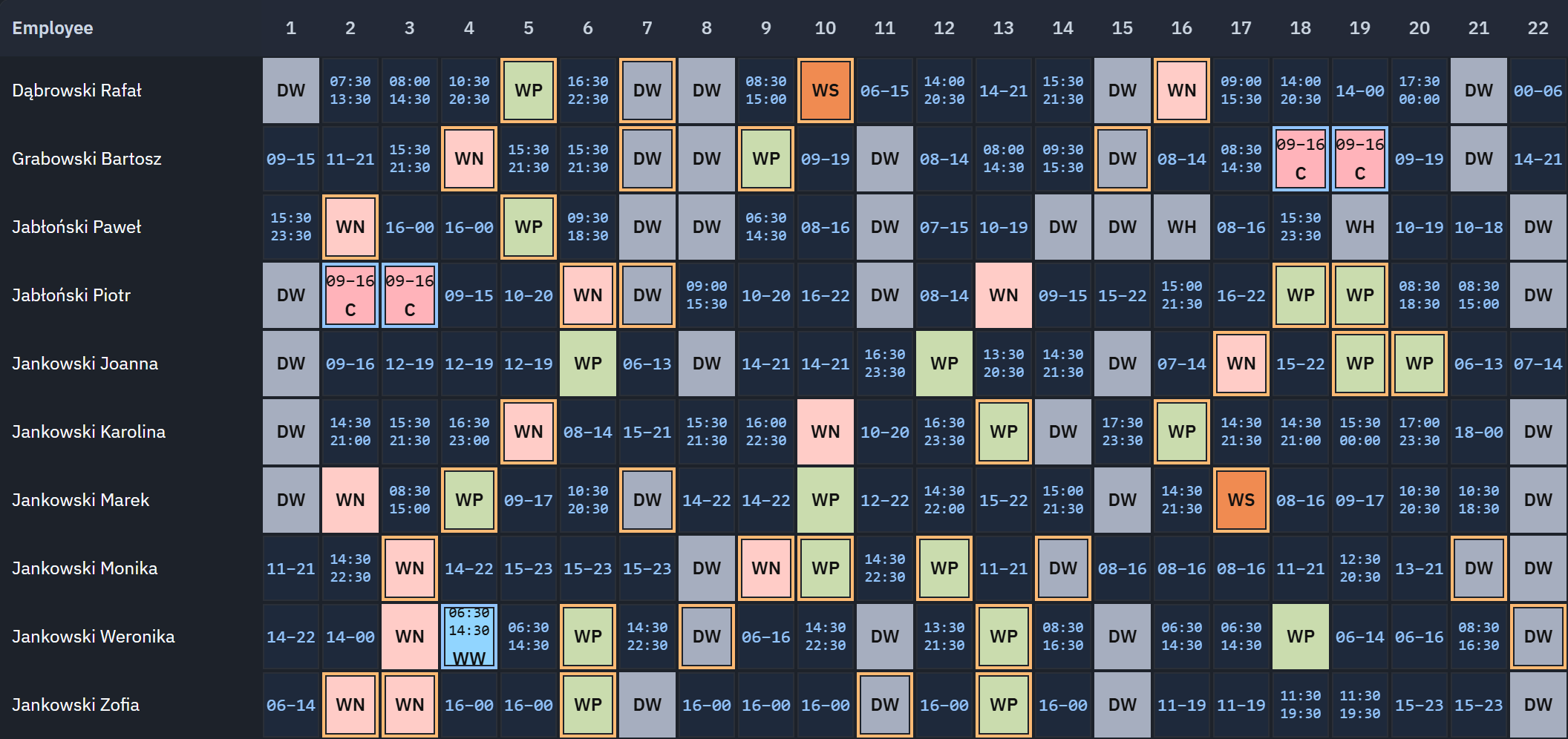
Monthly schedule for many employees: shift hours, days off and absences
Output of automatic building: a schedule for 100 people for November 2026. Test data.

From demand to a published schedule

  1. Enter your demand

    How many people you need in each interval of the day. Import employees, contracts and data from files.

  2. Generate the schedule

    Shifts and breaks are laid out around hour targets, absences, preferences and rotations.

  3. Check and publish

    Edit cells like a spreadsheet, check rules and coverage, publish. Earlier versions stay in the history.

An assistant that knows your schedule

Ask in plain words and it answers from the data in the system. It never changes anything itself: it prepares proposals that you check and save.

Ask why you are short of people

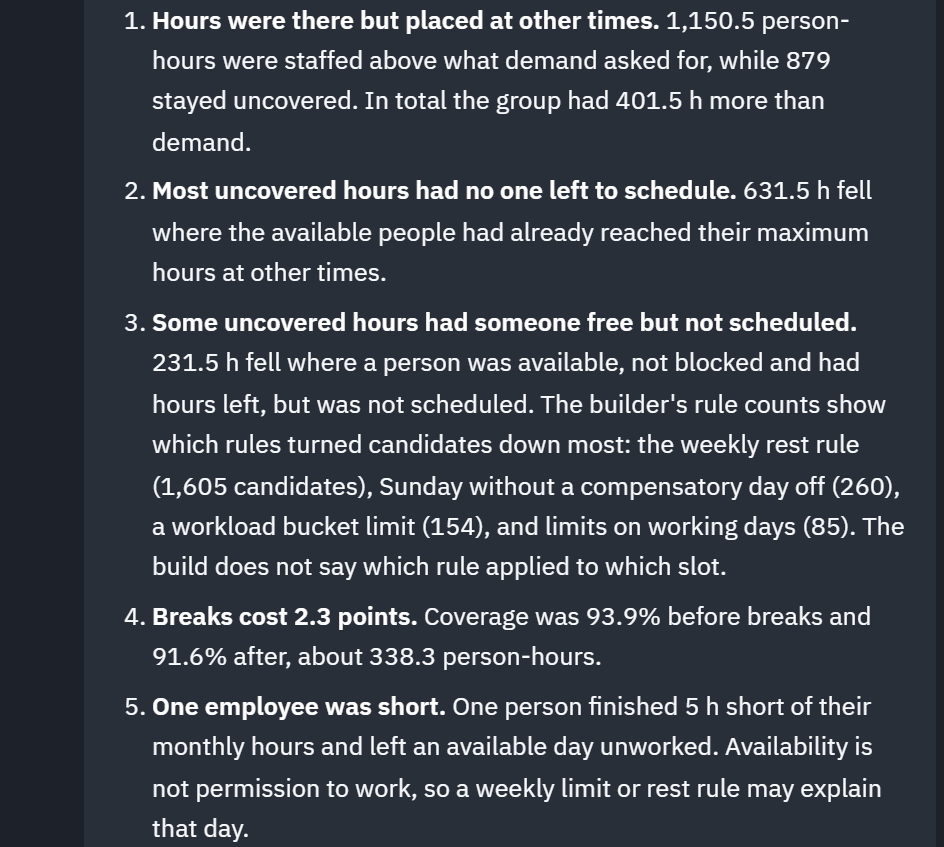
The assistant breaks a build's result into causes: hour limits reached, rest rules, breaks. It also says what the data cannot tell.

The assistant explaining why a build's coverage is incomplete

Ask for better, keep the decision

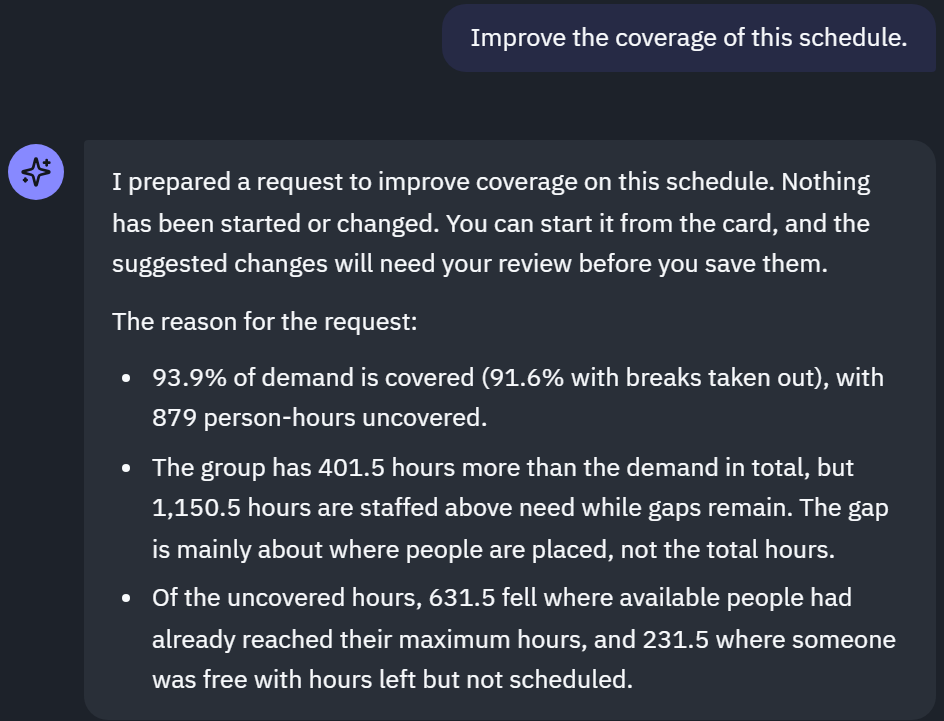
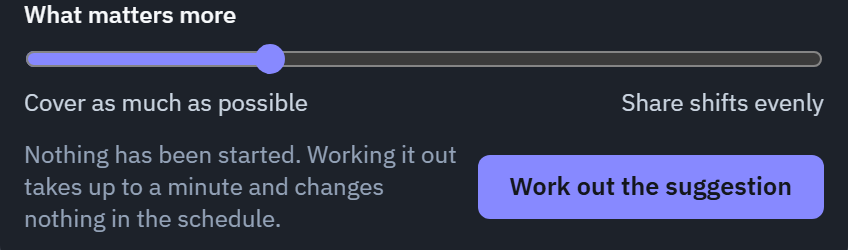
Asked for better coverage, the assistant explains what can be gained and prepares a proposal card. You choose whether coverage or an even split matters more, and you start it yourself.

Real answers on test data.

The assistant's answer proposing to improve coverage Proposal card with a priority slider and a button to work it out
  • Explains builds Where the uncovered hours went, which rules turned shifts down and what changed since the previous version.
  • Works across screens Coverage, profiles, rotations, leave, company structure, reports and the audit log.
  • Prepares proposals Schedule fixes, employee limits, What-if experiments and reports. Always for you to approve.
  • Respects permissions Shows only what that person may see anyway, and says what it based the answer on.

Things you can ask

  • How did the latest build go?
  • What changed since the previous build?
  • Which weekday loses the most hours?
  • Are we short of people, or are the hours in the wrong places?
  • Which rules turned down the most shifts?
  • Improve the coverage of this schedule.

Personal data under control

  • Your choice: a model on your own server, which nothing leaves, or Claude from Anthropic.
  • Before a question reaches Claude, names of people in the system, e-mails, phone numbers, Polish national ids, IBANs and ids are replaced with placeholders.
  • If the check before sending still finds such data, nothing is sent.
  • Questions that need one person's data are handled only by a model on your server.
  • Conversations are not stored on the server, and the external model can be switched off entirely.

Demand, half hour by half hour

Figures day by day and hour by hour. You plan adjustments and smoothing on the same screen, and the imported data stays as it was.
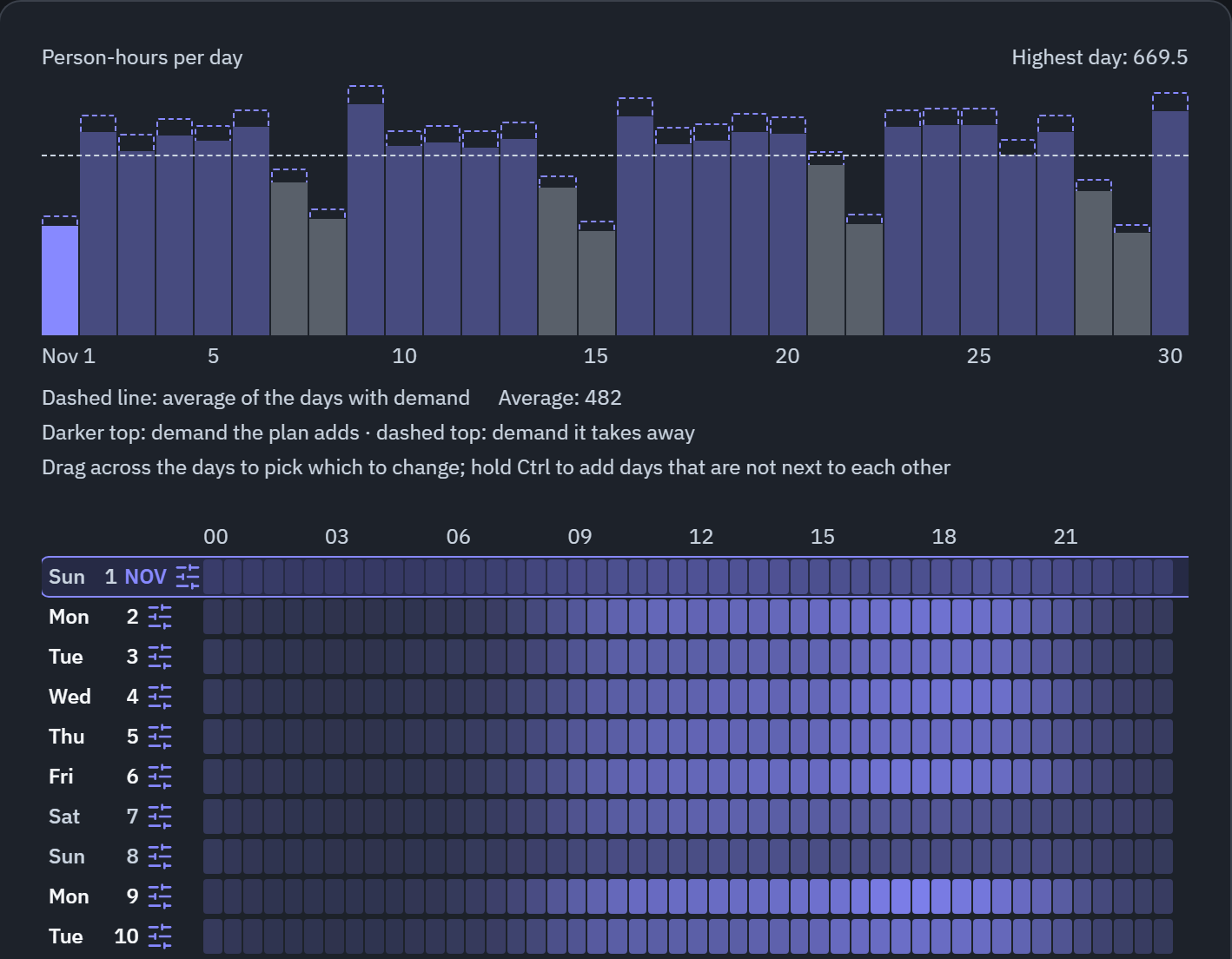
Person-hours per day and an hourly map of the month's demand

Know why something stayed uncovered

After every build you see how many hours are missing, when, and why: hour limits reached, nobody available, or the algorithm's choice.
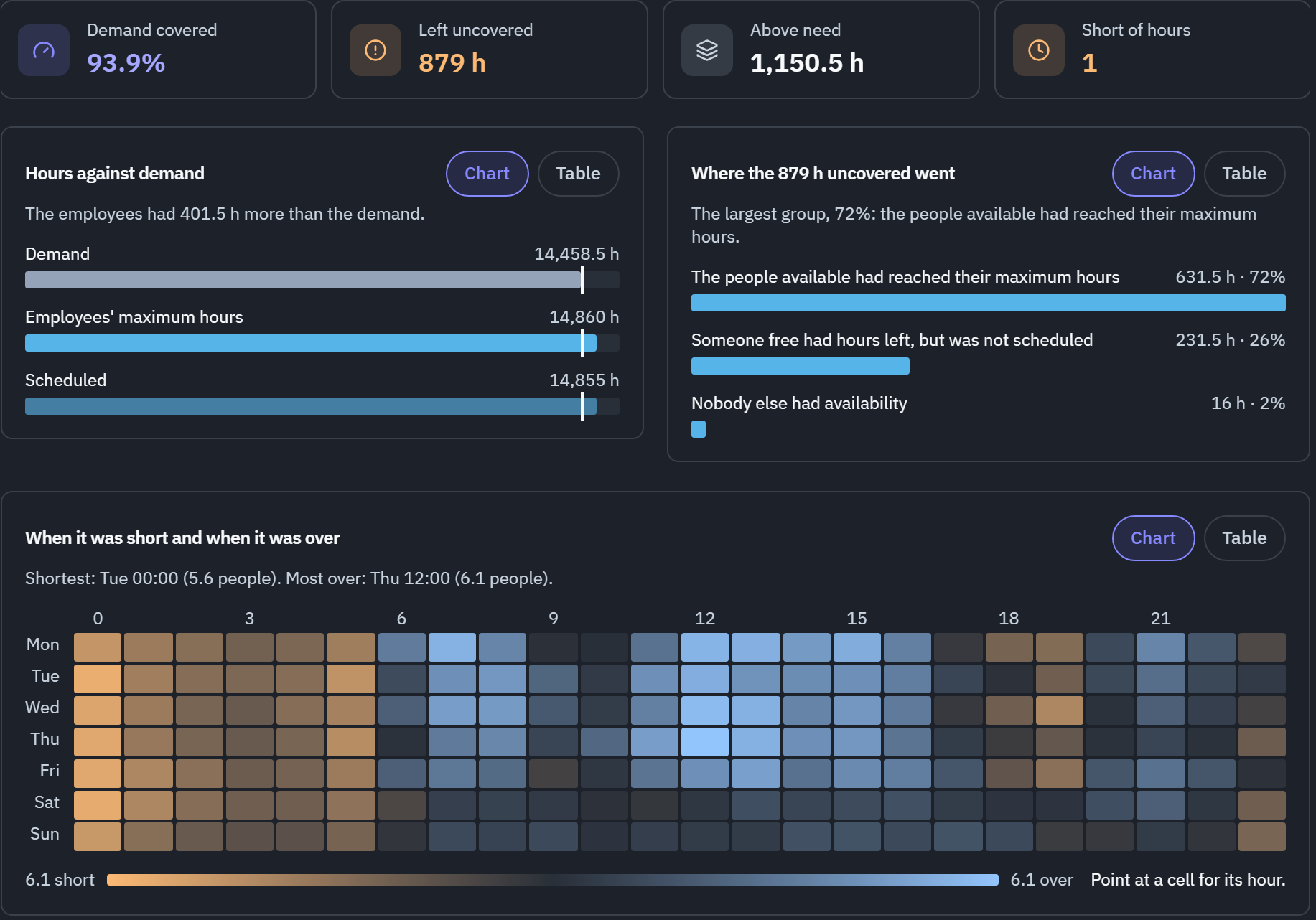
Build explanation: key figures, causes of gaps and an hourly map

See the gaps before you publish

Required and planned staffing, day by day and hour by hour. After every manual change you see what it improved and what it made worse.
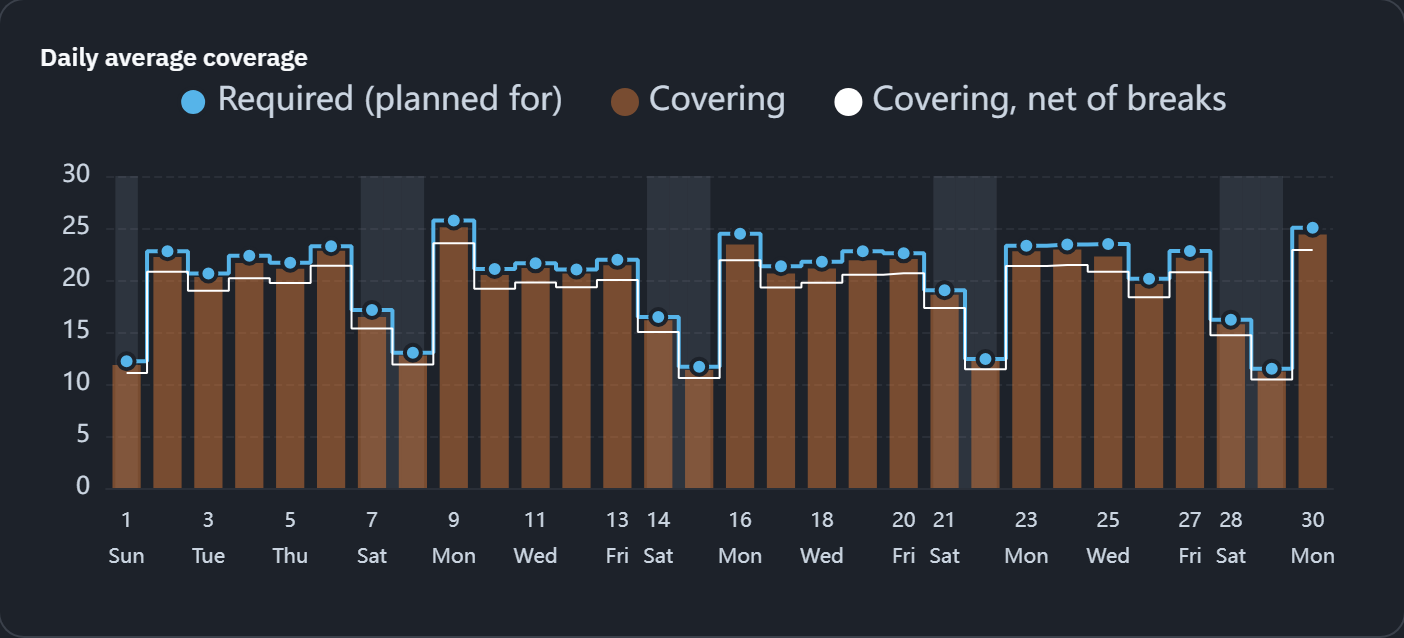
Monthly chart comparing required and planned staffing

Publish knowing what will change

Before publishing you see how many shifts are added, removed and changed, and for whom. The previous version is kept, so you can go back.
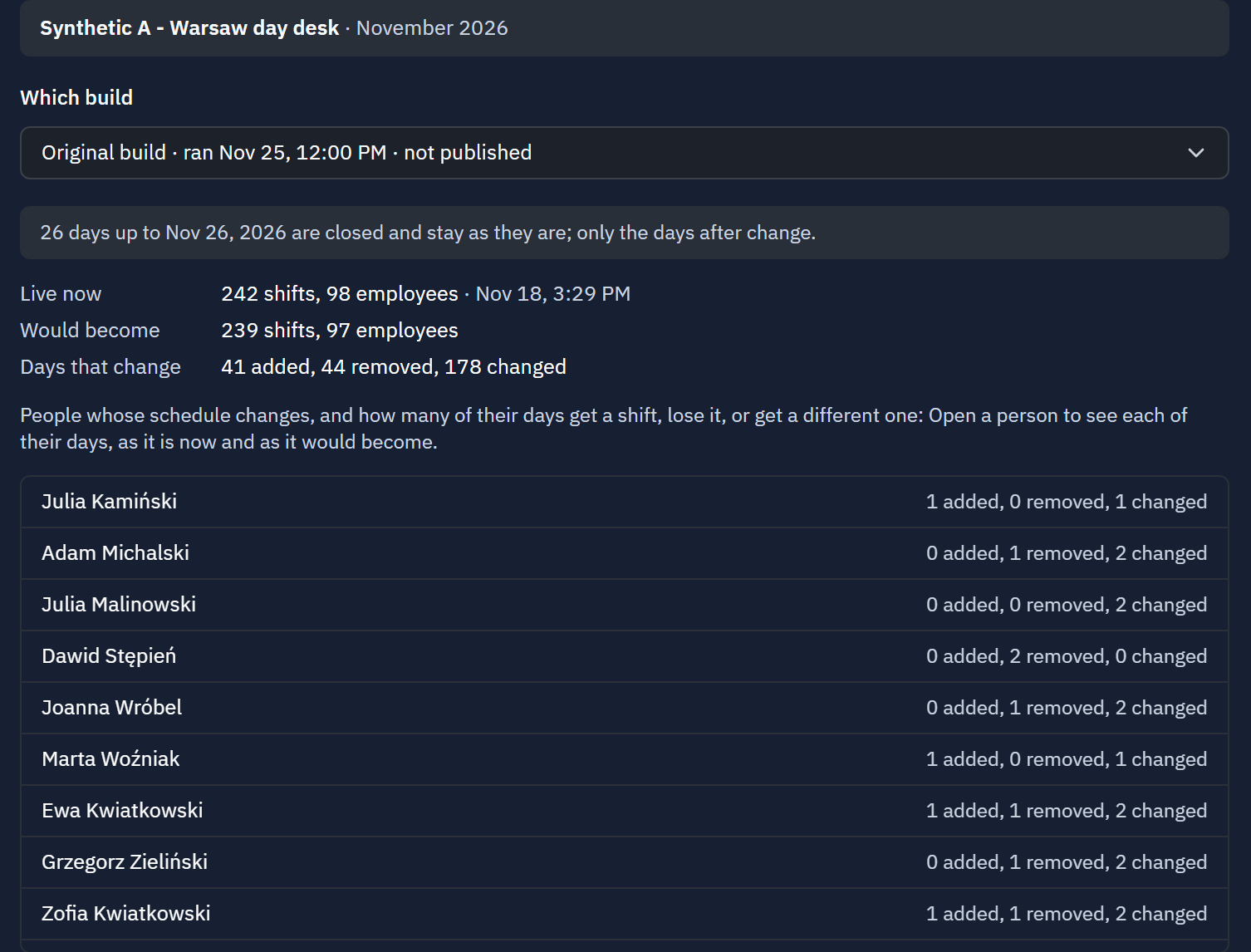
Publication preview with the number of changed days per person

Leave and sick days in one calendar

Requests, approvals and leave entered straight on the calendar. Employee preferences sit next to the absences.
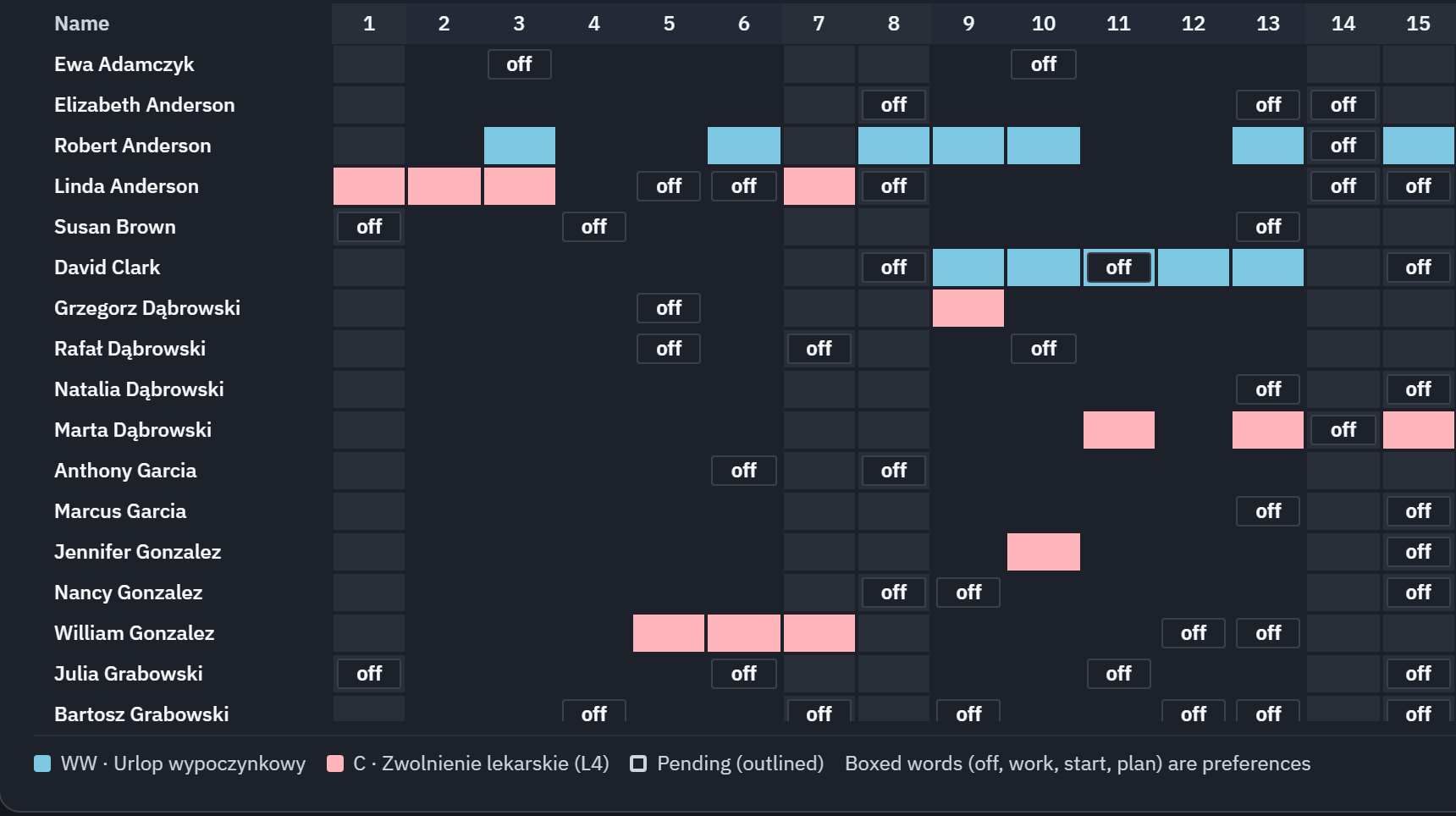
Team calendar with leave, sick days and preferences

Know when people want time off

Days-off requests day by day for the whole company, a unit or a group. Review them before you build the schedule.
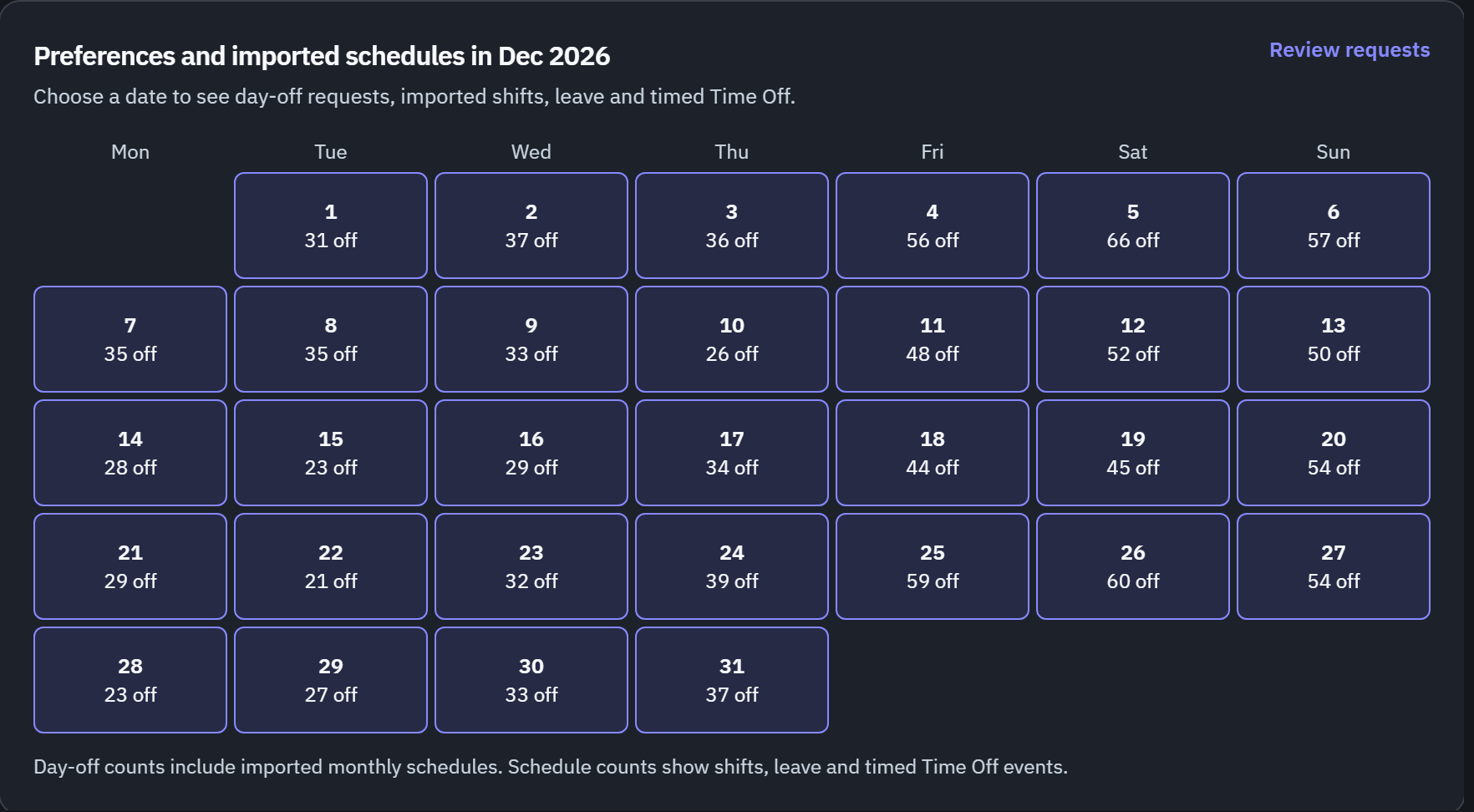
Preference calendar with the number of days-off requests per day

Everything a planner needs

Building schedules

  • Automatic building shifts and breaks to match demand in each interval of the day.
  • Working-time rules rest, consecutive days, Sundays and holidays, when building and editing.
  • Scheduling profiles separate rules and settings for different groups.
  • Rotations and templates repeating patterns, shift lengths, break and contract profiles.
  • Demand adjustments change staffing by a percentage and smooth out spikes.
  • What if try other settings on a finished schedule before adopting them.

Editing and publishing

  • Spreadsheet-style editing select, copy and paste shifts; add training and partial absences.
  • Impact preview what a change does to coverage and rules, before you save.
  • Partial rebuild only chosen days or breaks; the rest stays.
  • Comparing variants put the results of several builds side by side.
  • Publication history versions of the live schedule and a way back to an earlier one.

People and absences

  • Company structure units, scheduling groups, attributes and contracts.
  • Working-time norms hours for each month, from the Polish norm or your own.
  • Leave requests, approvals and a team absence calendar.
  • Preferences employees say when they want or cannot work.
  • Holidays and time zones separate calendars for locations and regions.

Insight and administration

  • Assistant answers questions about the schedule and prepares proposals.
  • Reports ready-made and your own: charts, tables, heatmaps and measures.
  • Fair distribution gaps in hours, nights and weekends.
  • Notifications in the app and by e-mail.
  • Data import employees, structure and demand from files.
  • Data retention how long the audit log and notifications are kept.

For teams that work in shifts

  • Retail and multi-site chains
  • Contact centres and customer service
  • Hotels and hospitality
  • Distributed service teams

Security and control

  • Two-factor sign-in and passkeys
  • Roles and permissions for every user
  • Audit log: who changed what, and when
  • Runs in the browser, in Polish and English

See Shiftwiser with your own data

Tell us how many people you schedule and what your shifts look like. We will prepare a demo.

Request a demo

kontakt@shiftwiser.pl · shiftwiser.pl